
Custom vs. AI-Generated QR Code: Which is Best for Your Brand?
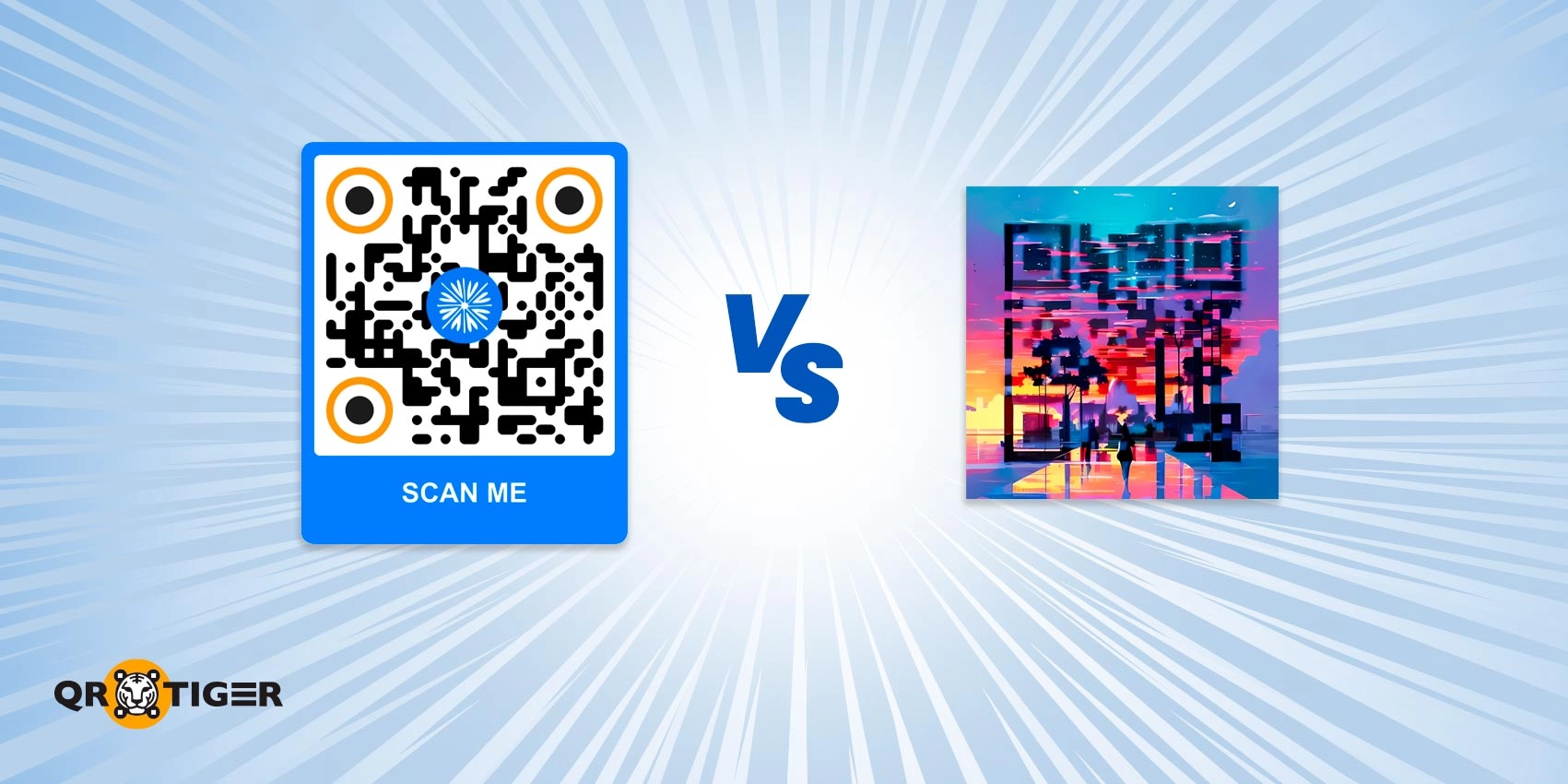
AI-generated QR codes are gaining attention. More than 88% of companies are showing more interest in using Artificial Intelligence in at least one business function, according to a report by McKinsey and Co. in 2025.
The real question is whether they can match the reliability, performance, and branding capabilities of a professional QR code generator with logo embedding.
We compare AI-generated and custom QR codes, breaking down their capabilities and differences to help you decide which is best for your business in the long run.
Table of Contents
- TL;DR
- What are AI-generated QR codes?
- Disadvantages of AI QR codes
- Why branded custom QR codes are a must
- Custom QR codes vs. AI QR codes: Key differences
- How to customize a QR code using QR TIGER
- QR code best practices for businesses
- Create high-performing QR codes with the best QR code generator
- Frequently asked questions
TL;DR
- AI-generated QR codes use Artificial Intelligence to transform QR codes into stylized, image-like designs.
- Custom QR codes allow brands to manually control the output of the QR code generator, including design elements such as colors, shapes, frames, logos, and patterns.
- Custom QR codes are much better for branding and dependable performance, while AI QR codes are good for creating memorable visual experiences.
What are AI-generated QR codes?
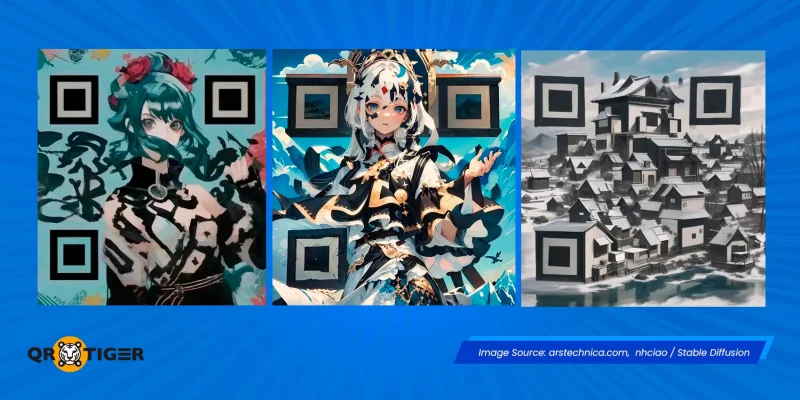
Conversational and image‑generation AI tools, such as ChatGPT, Meta AI, and Blender, can produce QR codes with custom visual assets.
People can convert a link to a QR code that blends into illustrations, brand-themed artwork, or stylized marketing visuals without design experience.
They don't replace traditional branded QR codes in all contexts, but they offer creative and attention-grabbing benefits, such as customizable visuals and increased scan curiosity.
- Eye-catching visuals: The extensive design options from AI QR code makers let users generate diverse AI QR art that draws people's attention.
- No-brainer: Generating a QR code with AI is quick. All you need to do is copy and paste the link you want to use, then include a prompt to turn it into a QR code.
- Cost-effective: Most free AI platforms allow users to generate AI QR code art, making them accessible to any brand for testing.
Disadvantages of AI QR codes
While AI QR code generators can help create attractive QR codes, businesses must also consider how they can undermine user confidence and affect scanning behavior.
- Lack of consistency: AI-generated QR codes heavily depend on prompts; the final design may not always match the exact style a brand aims for (becoming overly stylized or unpredictable).
- Unreliable scanning: Some AI QR codes with heavy visual overlays fail to scan on older phones.
- Limited features: Most AI-generated QR codes are static and lack many features. Brands may miss out on QR code analytics, tracking, and retargeting tools.
- Security risks: Free AI QR code generators lack the strict privacy and data security safeguards found in most reputable QR code platforms, making them prone to security issues.
Why branded custom QR codes are a must
Smart businesses create QR codes professionally and intentionally using an advanced QR code generator, such as QR TIGER.
Here’s what makes creating your own QR code far more advantageous for your business compared to relying entirely on AI-generated designs:
Stronger brand consistency
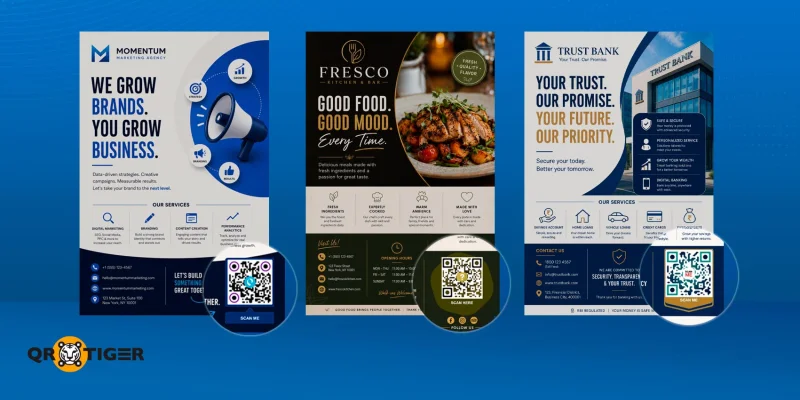
Creating your own QR code branding means mindfully deciding how much customization is appropriate, which visual elements improve usability, and whether the code remains easy to recognize as a QR code.
This liberty allows businesses to have greater control over the QR codes, aligning them with the brand identity without compromising scannability.
💡 Did you know? An industry report on user trust and perception found that many users (42%) are more comfortable scanning a code that visibly belongs to a recognizable brand. Logo, in particular, is one of the top trust-boosting elements people look for in a QR code.
Greater usability control
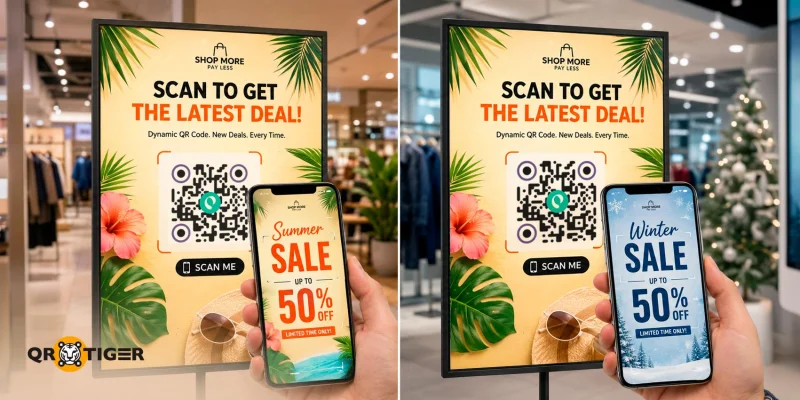
Dynamic QR codes let brands edit a printed code’s destination link or content at any time.
Many businesses can save time and reprint costs when the QR code on a campaign poster points to a broken site, as they can simply update the link behind it, and it will work instantly as if there was no issue.
They can also improve campaigns in real time and even run A/B tests using dynamic QR codes.
Easier and faster scanning
Manually customized QR codes typically preserve the standard structure more closely, including the eyes, data modules, and quiet zone.
That means they scan faster, work across more devices, perform better in low lighting, and stay readable when printed at different sizes.
💡 Did you know? The same industry report found that device or camera quality is the leading cause of failed scans (39%). Always consider the QR code best practices to ensure a smoother user journey.
Deeper tracking and analytics insights
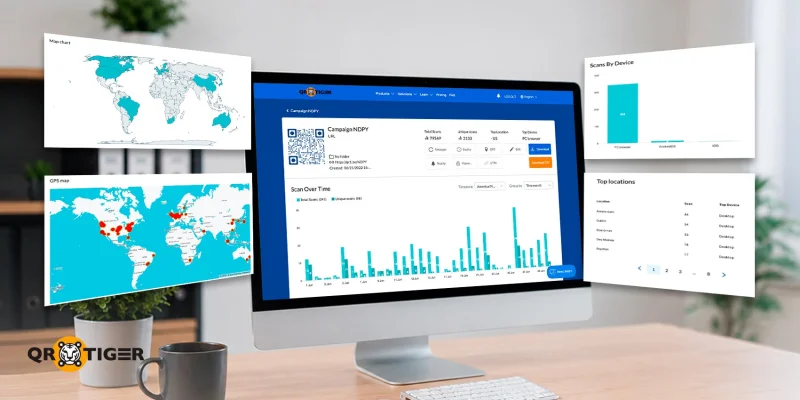
Customized dynamic QR codes enable businesses to track key metrics, including total scans, scan times, device types, and locations.
These QR code analytics help marketing teams measure engagement, optimize campaigns, and make more informed business decisions.
Greater long-term campaign scalability
Advanced QR code software supports a wide range of use cases, enabling businesses to create a QR code for event registration, contact details, menus, social media profiles, and more.
And since the design is controlled and repeatable, custom dynamic QR codes are highly scalable across customer touchpoints.
Stronger data security
Many brands choose to create custom QR codes with a reputable QR code tool rather than rely on AI for stronger data security.
ISO 27001:2022 certifications and compliance with privacy standards, such as the GDPR and CCPA, are indicators of a trustworthy QR code software.
QR TIGER, for instance, has built-in QR code security features and secure data-handling practices to protect sensitive information.
💡 Did you know? Security concerns prevent forty percent of users from interacting with QR codes. We recommend generating QR codes only with the safest QR code generators.
Custom QR codes vs. AI QR codes: Key differences
This table shows a direct comparison of the capabilities between custom-made and AI-generated QR codes:
| Factor | Custom QR Code | AI QR code |
| Brand Consistency | Strong | Variable |
| Scan reliability | High | Moderate to inconsistent |
| Ease of Deployment | Easy | Often requires testing |
| Professional Appearance | Strong | Depends on execution |
| Creative Flexibility | Moderate | Very High |
| Marketing Scalability | Excellent | Limited |
| Security | Stronger Visual trust through recognizable branding | May appear unfamiliar or suspicious to some users. |
| Best Use Case | Long-term branding | Experimental campaigns |
How to customize a QR code using QR TIGER
The following steps will guide you through creating an effective branded QR code:
1. Open our QR code generator with logo integration online.
2. Choose the QR code solution (URL, social media, app).
3. Select “Dynamic” for your QR code.
4. Enter the required information.
5. Click “Generate QR code” to create it.
6. Personalize the design to fit your brand’s identity. Don’t forget to add a logo.
7. Test and download the QR code.

QR code best practices for businesses
Whether you prefer AI-customized QR codes or manual QR code creation, always keep these best practices and tips in mind to maintain both branding and user trust:
- Keep the QR structure recognizable: Even with customization, the QR code should still visibly resemble a functional QR code.
- Use a dynamic QR code platform like QR TIGER: It offers password protection, editable links, expiration dates, and scan analytics, simplifying campaign management and strengthening security.
- Include recognizable branding: Adding a company logo or branded frame can improve scan confidence and authenticity.
- Maintain strong contrast: Dark patterns on lighter backgrounds generally provide the best scanning reliability.
- Use clear calls to action: Simple prompts such as “Scan to learn more” or “Scan for menu” help users understand the purpose of the code.
Users are increasingly cautious about scanning codes that look suspicious or difficult to identify. Unfortunately, this includes AI QR art.
For businesses, strong branding and professional design build trust.
Create high-performing QR codes with the best QR code generator
Creativity is most effective when customers can interact with the QR code quickly and effortlessly.
Artistic, visually unique AI-generated QR codes are appealing, but nothing beats a custom QR code that is intentional, professional, and genuinely speaks your brand.
Use AI for unique artistic elements, but prioritize purposeful, professional branding when trust and consistency matter.
For such, a dynamic QR code generator remains a more dependable solution for most business and branding applications.
It offers reliability, security, and performance tracking, all of which you need to build stronger, more consistent brand experiences.
Frequently asked questions
Which QR code is best for business?
Choose dynamic QR codes that include your brand logo. You can A/B test campaigns, track their performance, update URLs without reprinting, and retarget users with ads.
Can ChatGPT generate QR codes?
ChatGPT can generate static QR codes that function correctly. However, it can only encode simple information, such as website URLs or text; it does not offer the same business tools as dedicated QR platforms.
What is the best QR code generator for advanced marketing?
QR TIGER is the best QR code platform for advanced marketing. It offers scalable, dynamic QR code solutions, deep analytics, marketing tools, and seamless API integrations with Zapier, HubSpot, and more without bloated pricing.

