
Chapter 4:
Best QR Code Strategies
A practical guide to strengthening trust, improving usability, and increasing scan performance across all customer touchpoints.
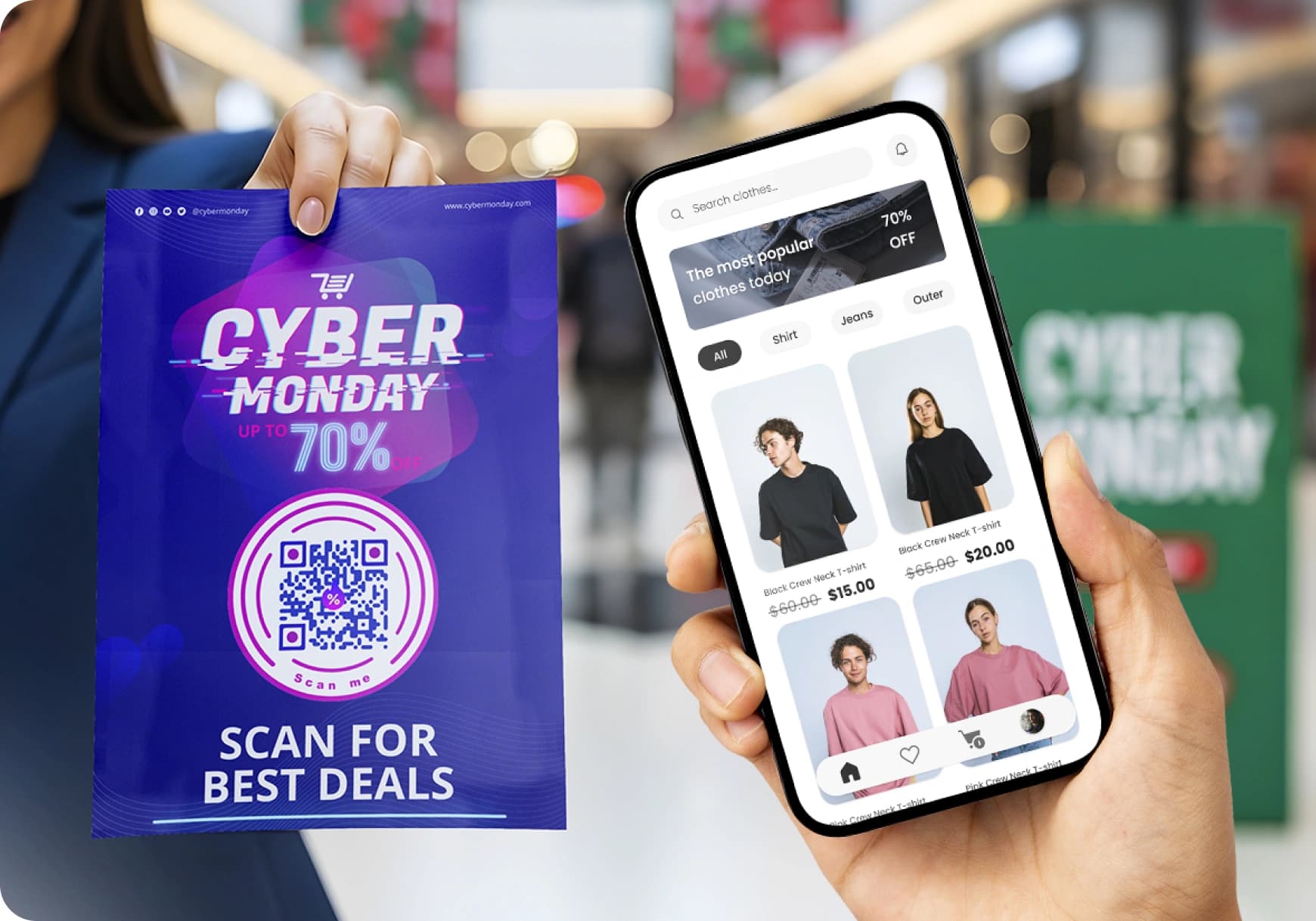
Building trust through smarter placement
Use Verified Surfaces
DO THIS
Place QR codes only on branded, credible materials.
AVOID
Random stickers in public unmonitored spaces.
Avoid High-Risk Channels
DO THIS
Embed in expected transactional emails.
AVOID
Unsolicited communications or spam folders.
Add Clear Trust Signals
DO THIS
Display brand identity and destination info.
AVOID
Naked QR codes with no context.
Select High-Authority Media
DO THIS
Choose platforms that naturally convey reliability.
AVOID
Low-trust environments or cluttered ad spaces.
Designing scans that motivate action
Offer Clear Rewards
Pair each code with a direct benefit, such as a coupon, discount, deals, or free item.
Why this works
Strong incentives help override initial user caution.
Use Familiar Visual Design
Stick to a classic QR code layout. Keep the design professional, branded with a centered logo.
Why this works
Most users prefer straightforward codes that signal reliability.
Choose High-trust Areas
Keep QR code placement limited to locations and materials users already recognize as safe.
Why this works
This ensures the incentive does not compete with concerns about authenticity.
Maintain Technical Excellence
Print large QR codes and place them in bright, accessible areas. Link only to mobile-ready pages that load quickly.
Why this works
This supports smooth, predictable scanning behavior.
Packaging as a high-confidence gateway
Combine QR code and a short URL
Provide a compact URL alongside the code to guide those who prefer typing.
This covers all user segments without sacrificing convenience.
Treat packaging as a primary channel
Use the on-pack QR code to deliver support, instructions, or added product value.
User views this placement as low risk and highly acceptable.
Keep URLs simple and direct
Short URLs prevent friction for users who avoid scanning.
The QR code remains the faster path for most consumers.
Linking to content that meets user expectations
Deliver Direct, Time-Saving Outcomes
Link directly to final sources, such as restaurant menus, checkout page, or tutorials.
This satisfies the strongest motivation behind scanning.
Provide High-Value Information
Offer real value, like rewards or exclusive deals, that matter immediately.
Clear value justifies the user’s decision to engage.
Avoid Low-Utility Experiences
Skip novelty-only content or basic social prompts unless offering a concrete incentive.
This keeps the technology aligned with practical user goals.
Filling the information gap around the QR code
Include a Short Privacy Note
Add a small, direct line explaining how the scan is handled.
Why this works
This addresses one of the largest trust concerns.
Specific Call to Action
Explain exactly what appears after scanning.
Why this works
A precise description or guide removes guesswork and supports confident action.
Brand and Key Details
Place your logo near the code and include expiration dates.
Why this works
This gives users the essential information needed to judge authenticity and relevance.
Strengthening perceived benefit for customers
Reinforce shared value
Pair the code with meaningful information and time-saving features.
This supports the view that both customer and business benefit equally.
Make the scan the fastest option
Ensure the QR code route is quicker than any alternative method.
Speed strengthens trust in the feature’s purpose.
Address doubt with clear messaging
Use short lines that highlight the customer advantage, such as instant support or faster ordering.
This reduces the suspicion that the code exists only for the business.
Guiding users through GS1 Digital Link adoption
Present the shift as an upgrade
Explain that the new codes unlock richer product information and better features.
Most users respond positively when they understand the added value.
Provide high-quality content
Direct users to materials such as recipes, sustainability notes, or loyalty rewards.
This matches the expectations of users who welcome expanded product details.
Clarify security and verification
Explain that the code leads to verified, trustworthy product data.
This helps address lingering concerns from a small but cautious segment.
Download the QR TIGER App


'QR Code' is a trademark of DENSO WAVE INCORPORATED. © 2026 www.qrcode-tiger.com